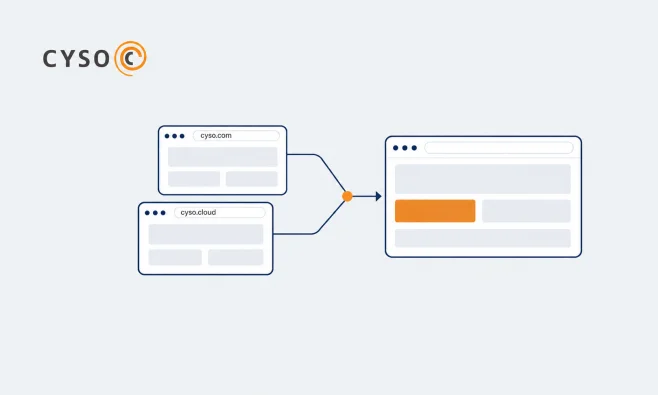
One website for all of Cyso
We are bringing cyso.com and cyso.cloud together on one website. Find all our solutions and cloud services in one place, and where to ask questions.

Cyso Cloud
October 26th, 2026 · 4 min
Spin up sovereign compute instances on fully European infrastructure in seconds. Your virtual machines run on our public cloud in Amsterdam and Frankfurt, operated by a Dutch company under European law. You get root on every virtual machine and a standard OpenStack API, so you can take your setup to any other OpenStack cloud. Pricing is by the hour.
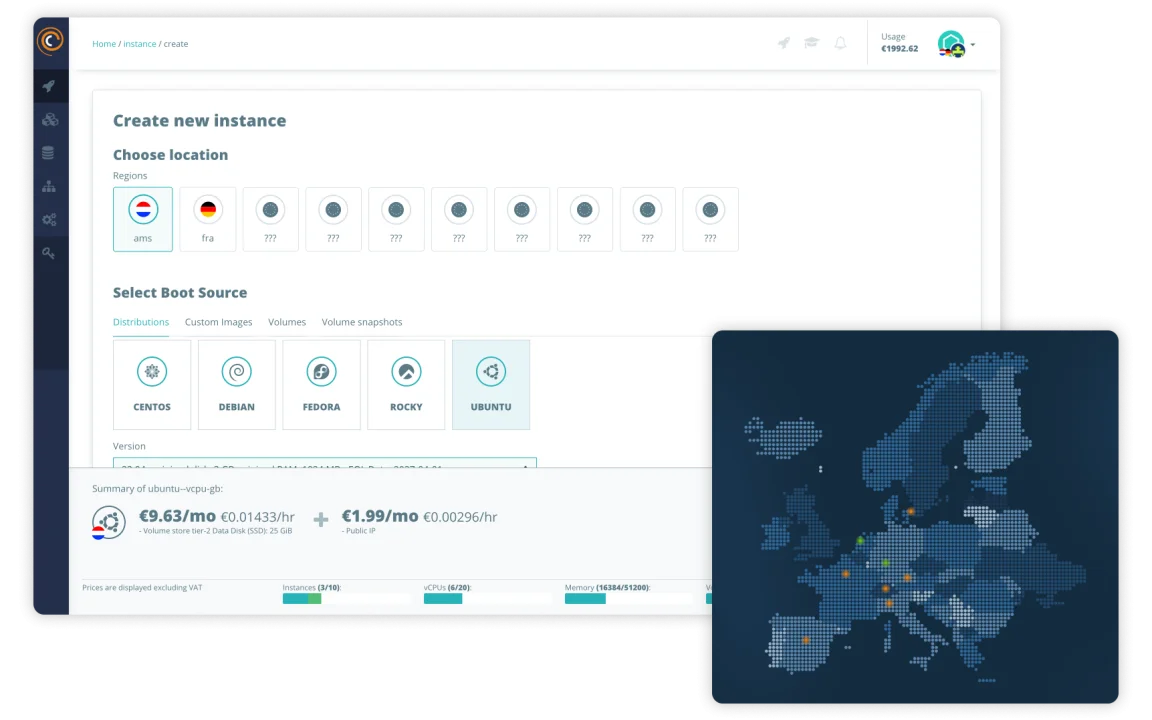
Every family runs the same images, storage and networking. The only thing that changes is how much memory you get per vCPU, so you only pay for the resources that you actually use.
4 GB RAM per vCPU
The balanced default. Web apps, APIs, small and mid-size databases, dev and test. Start here if you're not sure.
2 GB RAM per vCPU
For CPU-bound work. CI/CD runners, batch jobs, video encoding, busy application and game servers, anything that pins the processor.
8 GB RAM per vCPU
For memory-hungry work. In-memory caches like Redis, large databases, analytics and data processing that live in RAM.
Cyso Cloud Compute gives you virtual machines running on OpenStack. You decide how much CPU, memory and storage each instance gets, launch it from the dashboard, the CLI or Terraform, and pay for the lifetime hours. One instance or a hundred, the platform handles both the same way.
✓ Launch an instance in seconds
✓ Full OpenStack API and CLI, so everything can be coded and code can be reused
✓ Pay for the lifetime hours of an instance, capped at the monthly price
✓ Your data stays in the EU, GDPR-compliant by default
Compute is OpenStack underneath, so the open tooling the rest of the industry already uses works here unchanged. Click through the dashboard for a one-off, or treat your whole estate as code with Terraform, the OpenStack CLI, cloud-init and the native API.
Describe your instances, networks and volumes as code with the OpenStack provider, and version them alongside the rest of your stack.
Create, resize and tear down instances from your terminal, on Linux, macOS or Windows.
Download your openrc file and the OpenStack SDK talks straight to the API. No bespoke endpoints to learn.
Hand an instance a start-up script and it boots configured, with no manual SSH afterwards.
Compute offers several flavor types: Standard (s), CPU Optimised (c) and Memory Optimised (m).
This gives you the freedom to create a solution best suited for your project without paying for resources you might not need.
Click it together in the portal, or script the whole thing in Terraform. Same instances either way.
Boot a standard Linux distro or bring your own image. Ubuntu, Debian, Rocky, whatever you already run.
Ceph-backed block storage and AMD EPYC Milan CPUs. In independent tests, s5 and c5 flavors delivered 4.5-6x the CPU throughput of comparable Azure VMs.
Snapshot a running instance, then clone or roll back from it whenever you need.
Build private networks, routers and floating IPs around your instances, all from the dashboard.
Pin instances to separate compute nodes so one dead host doesn't take your service down with it.
Attach persistent volumes to any instance, then snapshot and resize them without downtime.
New instances come up with SSH key authentication and nothing reachable from the outside. No password logins, no ports you didn’t ask for. When you want traffic in, you open it with virtual firewalls, called security groups in OpenStack.
✓ SSH keys only, no password logins
✓ Closed to inbound traffic until you open it yourself
✓ Virtual firewalls (security groups) for per-instance rules
✓ Two-factor authentication on every account

Every flavor includes fast local disk that’s wiped when you delete the instance, which is fine for the OS and scratch files. Data that needs to outlive the instance goes on a block storage volume.
Volumes are triple-replicated and come in two tiers: Tier-1 gives 5 read and 5 write IOPS per GB, Tier-2 gives 25, and both cap at 25,000 IOPS. Multi-attach variants mount on several instances at once, and Managed Kubernetes uses the same volumes for persistent storage.
Baked into the flavor. Fast and local, wiped when the instance is deleted. Right for the OS and scratch files.
Persistent and separate. Attach and mount to any instance, and it stays put after the instance is gone.
Snapshot a volume to restore later, and grow it on demand when you run out of room.
Share one volume across instances, or detach and move it to another instance entirely.
Compute networking runs on OpenStack Neutron, and you hold the keys. Build isolated private networks, route between them, hand out public addresses and put load balancers in front, from the dashboard, the CLI or Terraform. Always-on DDoS protection sits in front of all of it.
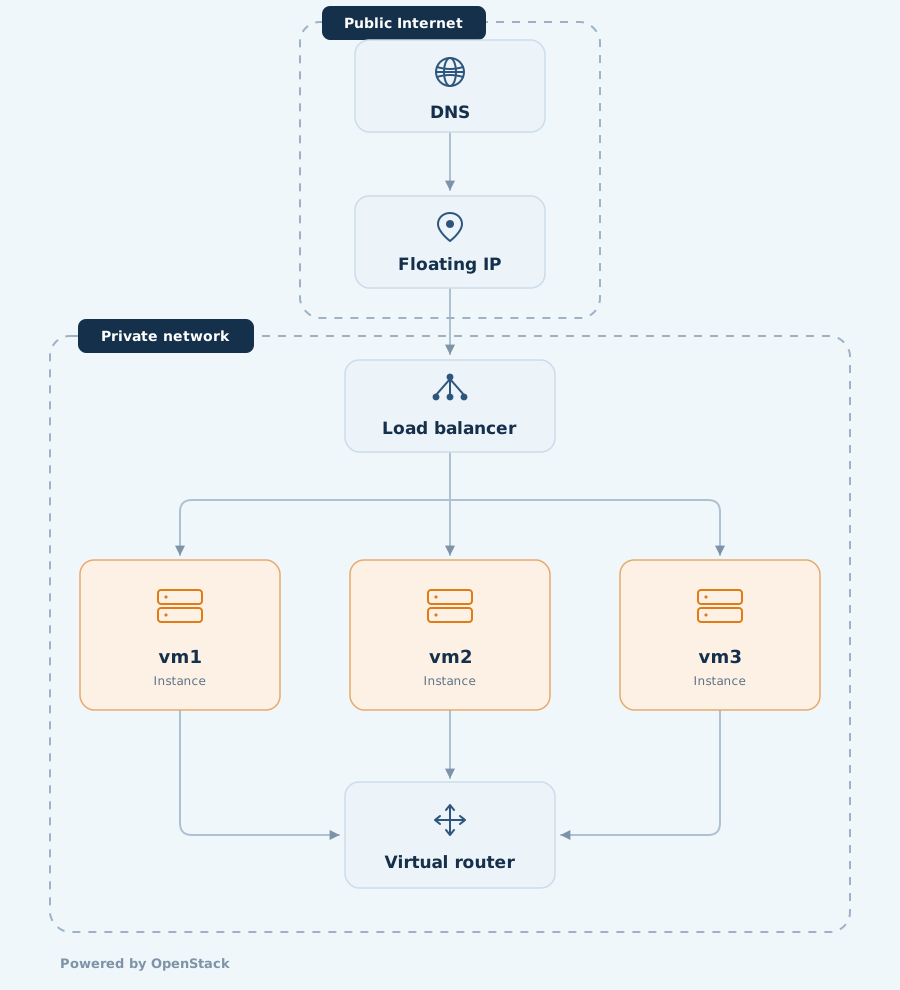
From isolated private networks to always-on DDoS protection, these are the pieces you build with. Manage every one of them from the dashboard, the CLI or Terraform.
Isolated networks per project. Define your own subnets, route traffic between them, and decide exactly what can talk to what.
Routers link your private networks to each other and to the internet. You create them and you set the routes.
Floating IPv4 addresses move between instances and stay reserved until you release them. Each project gets a free /48 IPv6 net, and dual-stack is supported.
IPv4 € 1.99/mo · IPv6 /48 free
Build private networks, routers and floating IPs around your instances, all from the dashboard.
from € 10.95/mo
Always on at the network edge, on every network. Attacks are detected and malicious traffic is filtered before it reaches your instances.
Security groups set access rules per instance on IP, port and protocol. Nothing gets in until you allow it.
Talk to us about the right setup for your workload.

By the hour. You pay for an instance’s lifetime hours, capped at the flat monthly price shown for its flavor, so you never pay more than the monthly figure. Bandwidth is the only usage-based variable on top, and read/write (IOPS) transactions are free. See the full flavor pricing on our pricing page and the billing FAQ in the docs.
No. Cyso Cloud Compute runs CPU-based virtual machines in three flavor families. If you need GPUs, we’re happy to talk through what your specific workload needs.
Your usage updates every hour in the dashboard, and you can filter invoice lines by team, resource type or region and export them as CSV or JSON. The dashboard also forecasts your monthly costs, and its pricing calculator lets you price a setup before you build it.
Yes. A stopped instance (ShutDown/Shutoff) still reserves its CPU, RAM, SSD storage and floating IP, so it keeps billing until you delete it. If you want to keep an instance for later without paying for it, take a snapshot first and then delete it. Details in the billing FAQ and the instance snapshots guide.
Configure access the way you prefer (the Horizon Console, through a VPN, SSH or RDP). Just remember to open the ports in your security groups and add a (floating) IP address.
More information about getting started with Cyso Cloud can be found here.
You can modify it at the server and set as many aliases as you like.
Modifying the reverse DNS name is possible through our dashboard. Go to the DNS service page - reverse DNS find the IP address where you want to set a reverse DNS name and click on the “…” and then “set”. Set the DNS name and submit.
You can accomplish this by detaching a volume from an instance and relaunching it as a new instance with your desired size and configuration. For instances without volumes attached, you can make a snapshot and relaunch that as a new instance with the desired specifications.
A dedicated server is one physical machine that’s yours alone. Compute instances share pooled hardware and bill by the hour, so you scale in minutes instead of ordering a box. Most teams start on compute and only move to dedicated for specific isolation or licensing needs. Want to talk it through? Book a discovery call.
Public cloud. Your instances run on the Cyso Cloud platform in our Amsterdam and Frankfurt data centres, and you pay by the hour for what you use. Want the same platform on hardware in your own data centre? That’s what Private Cloud is for.
Linux and Windows. Our Linux images are ready to go, and Windows runs from a bootable volume of at least 30 GB. You can also upload your own image or boot from a volume snapshot.
You can. Detach the volume from an instance and relaunch it as a new instance at the size you want; for an instance without a separate volume, take a snapshot and relaunch that at the new spec. Steps are in the compute FAQ and the instance snapshots guide
Yes. We have step-by-step guides for migrating a droplet from DigitalOcean and for migrating an instance from another OpenStack provider. You can also migrate a volume directly.
They stay. Block storage volumes are independent from the instance and stick around until you delete the volume yourself, so your data survives an instance being removed. See attaching a volume and volume snapshots. Volumes also work as persistent storage for Managed Kubernetes.
They set how much memory you get per vCPU: CPU Optimised gives 2 GB per vCPU, Standard 4 GB, and Memory Optimised 8 GB. Images, storage and networking are identical across all three. Pick CPU Optimised for compute-bound work, Memory Optimised for memory-bound work, and Standard when you want a balanced default.
Yes. Next to virtual machines, you’ll find the bare metal options in the Cyso dashboard. Would you rather run the whole platform on hardware in your own data centre? That’s what Private Cloud is for.
Discover expert insights, industry trends, and best practices in European Cloud Technology. Explore our latest blogs and stay informed on the future of European cloud solutions.
We are bringing cyso.com and cyso.cloud together on one website. Find all our solutions and cloud services in one place, and where to ask questions.
Managed cloud services explained: what a provider does, what stays with you, and whether you should consider in-house. Six questions to ask your provider.

What is object storage? Objects, buckets and the S3 API in plain terms, plus request fees, egress costs and what the EU Data Act changes about switching.