What is cloud migration? A strategy that covers the weeks before and after cutover
By Alec on
Last updated on
Cloud migration is the move of applications, data and workloads to a cloud, or from one cloud to another. The weeks before and after cutover decide whether a migration works. The cutover night is the shortest part of it.
This guide covers the process and the strategies, then the risks of migrating. It also covers a legal change in EU regulation that matters for your exit plan.
What types of cloud migration are there?
The type depends on where you start and where you end up. Most projects fall into one of these:
On-premises to cloud: your own servers or colocation move to a cloud platform.
Hybrid: part of the estate moves and part stays, with the two connected.
Workload-specific: one application or database moves on its own.
Reverse migration: workloads leave a public cloud again. TechTarget lists this repatriation as a type of its own. We wrote about why European leaders are rethinking their cloud strategy.
Cloud to cloud migration
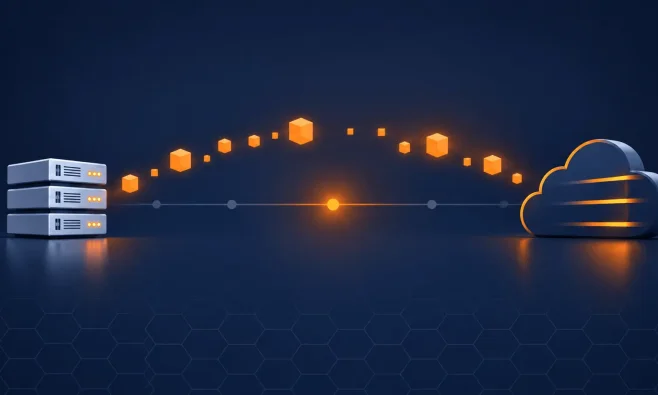
A cloud to cloud migration moves workloads from one provider to another, and it's the type that tests your exit plan. You have to rebuild whatever proprietary services the old provider ran for you, and large data volumes add transfer time and, often, egress fees.
How does the migration process work?
The cloud migration process runs in five phases. Each one reduces a specific risk, so the plan is easy to explain to a board.
Inventory and dependency mapping. List every workload and everything it talks to: databases, file shares, licence servers, the scheduled job nobody documented. Dependencies tell you which workloads have to move together.
A strategy per workload. Decide for each one whether it moves as is, changes or goes away. The next section covers the options.
Waves and rollback. Group workloads into waves, small and low-risk first. Write down how you go back if a wave fails, and rehearse it.
Replication and cutover. Copy the data while the old system keeps running. Delta syncs then pick up the changes made since the first copy. At cutover you stop writes, run one last sync and switch traffic over. Because only the final changes move during that window, it can stay short.
Validation and stabilisation. Test with real users and real traffic. Watch the dashboards, then fix what shows up.
Moving a single virtual machine between hypervisors is a topic of its own. If that's your question, read our guide on how a VMware to KVM move works step by step.
Which cloud migration strategy fits which workload?
Cloud migration strategies are the options you have for each workload: move it unchanged, change it, replace it or leave it alone. The best-known way to sort them is the "Rs".
Gartner described five options in the early 2010s: rehost, refactor, revise, rebuild and replace (IBM, TechTarget). Other vendors then added retire and retain. Later lists added relocate, which gives the 7 Rs of cloud migration in most guides today. The labels vary between sources.
Option | What it means | When it fits |
|---|---|---|
Rehost | Move the workload as it is, to new infrastructure | Deadlines, such as a data centre contract ending |
Relocate | Move virtual machines between environments without changing the applications | Large VM estates that already run well |
Replatform | Small changes on the way, such as a managed database | You want some gain without a rewrite |
Refactor | Rework the application for cloud-native services | The application is core to the business and worth developer time |
Repurchase | Replace it with a SaaS product | A standard tool does the job |
Retire | Switch it off | Nobody uses it, or another system already covers it |
Retain | Leave it where it is, for now | It's too risky, too tied to hardware or close to end of life |
For a decision-maker, the mix of options is the cost estimate. Every refactor is developer time you pay for up front. Every rehost carries over whatever the workload cost to run before, unless you tune it afterwards.
What is lift and shift?
Lift and shift is the common name for rehosting: the workload moves with as few changes as possible. It's often the quickest way out of a data centre with a fixed end date. But a VM sized for a peak that never comes keeps costing you for that peak, so plan a second pass to resize or replatform.
What do the weeks before and after cutover decide?
Most plans centre on the cutover weekend. We put the effort into the weeks before and after it.
Before cutover, dependency mapping is slow, careful work, and it's where the surprises turn up. An unmapped dependency is what turns a short planned window into a very long night. We also rehearse the rollback before we touch anything. If a cutover goes wrong, the team follows a plan it has already tested.
After go-live, the fortnight that follows is when edge cases surface. Think of the report that only runs at month end, or a partner integration that connects once a week.
When the board asks "What if it goes wrong?", a rehearsed rollback and a named team for the weeks after are easier to defend than a confident go-live date.
What goes wrong during a migration?
We have no reliable figure for how often migrations overrun, and we'd be wary of anyone who quotes one without a source. The failure patterns themselves are well known, though:
Downtime that runs over. Usually an unmapped dependency, or a final sync that takes longer than tested.
Cost overruns. Long parallel running, oversized VMs carried over unchanged, and egress you didn't budget for.
New lock-in. Rebuilding on one provider's proprietary services can make the next move harder than this one.
Data transfer time. Terabytes take time to copy, and the last sync has to fit inside your window.
Team capacity. The same people who run today's estate also have to plan and test the new one. Something gives, and it's rarely the day job.
What does the EU Data Act mean for exit costs?
If leaving a provider costs too much, you can't credibly threaten to leave them. That weakens every price negotiation you have with it. The EU Data Act, Regulation (EU) 2023/2854, changes this for cloud services. It entered into force on 11 January 2024 and has applied since 12 September 2025.
The Regulation text phases out switching charges in two steps:
Until 12 January 2027: providers may charge reduced switching charges. These may not exceed the costs directly linked to the switch (Art. 29(2) and (3)).
From 12 January 2027: providers may not impose any switching charges on the customer (Art. 29(1)).
Your contract must let you start a switch with at most two months' notice. After a transition of up to 30 days, you get at least 30 days to retrieve your data (Art. 25).
The rules have limits, and your exit budget should reflect them:
Data egress charges for switching count as switching charges, but standard service fees and early termination penalties don't (Art. 2(36)). A fixed-term contract can still carry a penalty for leaving early. Providers must disclose these fees and penalties before you sign (Art. 29(4)).
If you run two providers in parallel, a provider may charge egress fees, but only to recover the egress costs it actually incurs (Art. 34(2)).
Ordinary egress is a different matter. Serving files to your users isn't switching, so Object Storage egress still costs money. Our own Object Storage egress is €0.055 per GB and ingress is free (list price as read on 23 November 2026, excl. VAT). At that rate, 2,000 GB served to users in a month adds about €110. Our object storage article explains the difference between ordinary egress and switching costs.
The rules may still change. The Commission proposed a Digital Omnibus in November 2025 (COM(2025) 837). Its Digital Package FAQ says the proposal would clarify when the switching rules apply and add exemptions, including for custom-made services. As of 23 November 2026 it isn't adopted, according to the Parliament's procedure file.
This section is a summary, not legal advice. Check your own contracts with your counsel, and follow the Commission's Data Act page for updates.
When does a migration make sense, and when doesn't it?
Companies tend to move for reasons like these:
A hardware refresh is due, and another generation of servers would tie up capital for years.
Licence terms changed. For VMware users, the licence changes after Broadcom's acquisition raised that question.
The team spends its weeks on hardware and patching.
The board wants to know where the data sits and which law applies to it.
Moving isn't always the right call, though. A system close to end of life may cost more to migrate than to retire. Software tied to on-site hardware may belong where it is. And if you move a messy estate unchanged, you get the same mess in someone else's data centre, with a monthly bill attached.
What happens after the move?
A migrated platform still needs looking after. Major version upgrades come round, and technical debt piles up. Applications need tuning too, and monitoring has to exist before anyone can act on it, with dashboards, alerting and on-call integration in place.
That's why we offer managed operations after the move, covering patching and updates as well as performance support.
Learn about Managed OperationsHow we run a migration with you
Our migration and deployment work has three phases. In Planning we map your workloads, review the risk profile and build the plan. In Migration our engineers work alongside your team through cutover, go-live and the weeks after, as agreed in the plan. In Automate we set up CI/CD and Kubernetes orchestration.
We don't push one destination. The target can be our platform or another one, and we have experience with VMware, OpenStack and the major public clouds. Our engineers are Cyso employees, and you get a named point of contact. A private Slack channel is possible.
Our own platform runs in data centres in Amsterdam and Frankfurt. Our Trust Centre lists ISO/IEC 27001, NEN 7510, SOC 2 Type II and our Kubernetes Certified Service Provider (KCSP) status.
Planning a move, or preparing a board answer on one? Book a discovery call with our migration team. It takes about 30 minutes. Bring your workload list and the question your board keeps asking. We'll talk through whether a migration assessment is the right next step.